Booking and payment · 5 min
Book and pay for a lesson
Choose a trial, a single lesson or a package, pick a time, and pay securely with Stripe. Here's what you'll see after paying.
Hindi pa naisasalin sa iyong wika ang araling ito, kaya ipinapakita ito sa Ingles.
Bago ka magsimula
- Find a tutor you like (see "Find the right tutor").
- Have a payment card ready. You don't need an account first: paying creates one with your email.
Trial, single lesson or package?
- Trial: a 30-minute first lesson at the tutor's trial price (sometimes free). You get one trial with each tutor.
- Lesson: a 1-hour lesson at the tutor's hourly price.
- Package: 5, 10 or 20 lessons with one tutor, paid once at a discount the tutor sets. Packages expire after 3, 6 or 9 months (by size), and you can extend once by 30 days. Unused lessons can be refunded from your dashboard.
Hakbang-hakbang
- Hakbang 1:
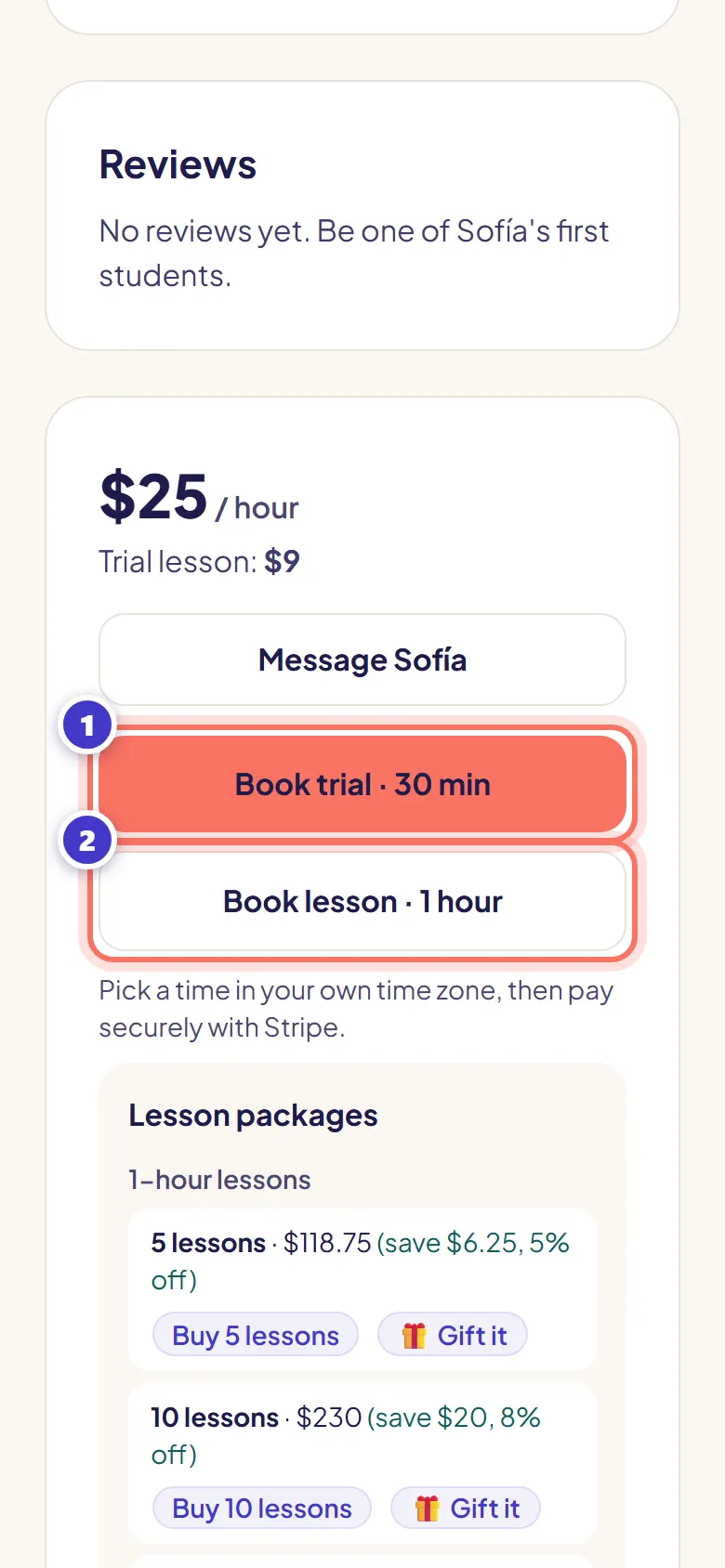
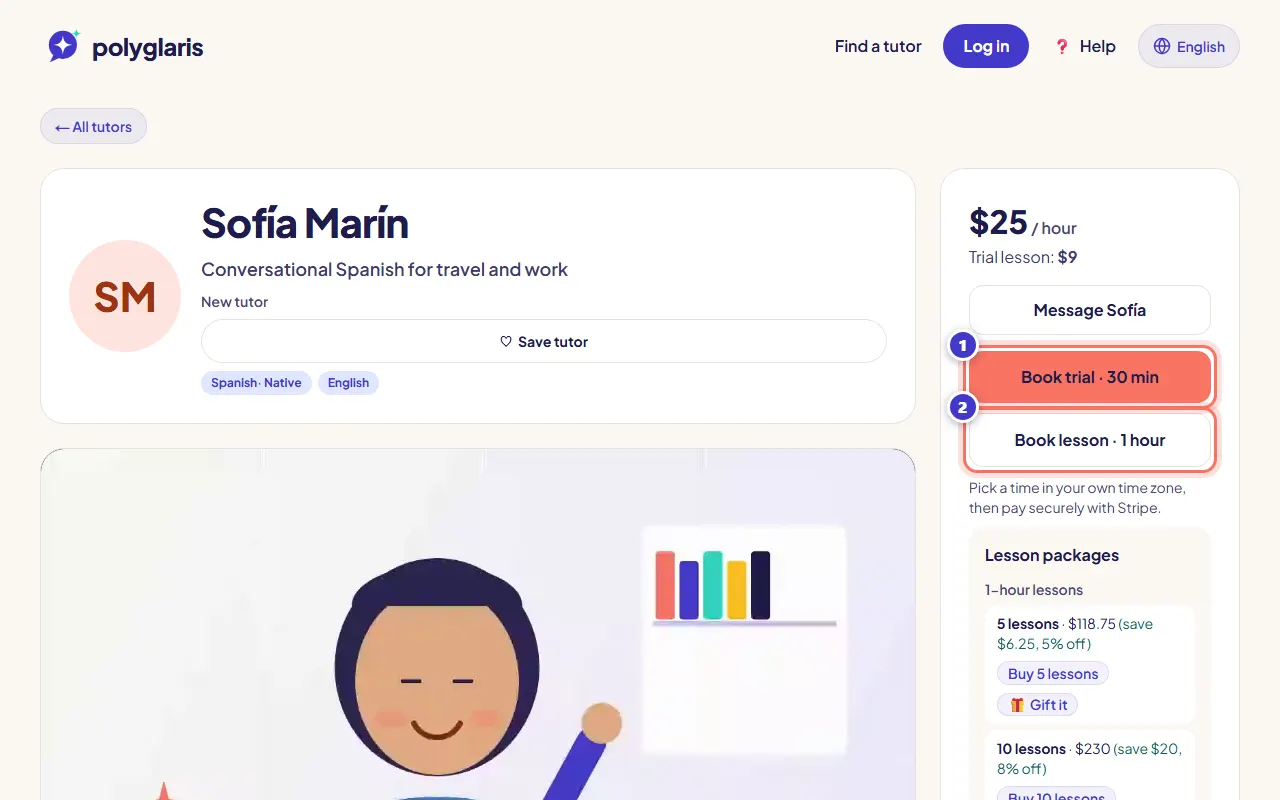
On the tutor's profile, press Book trial · 30 min or Book lesson · 1 hour.
To buy a package, scroll to Lesson packages and press Buy … lessons instead.
- Hakbang 2:
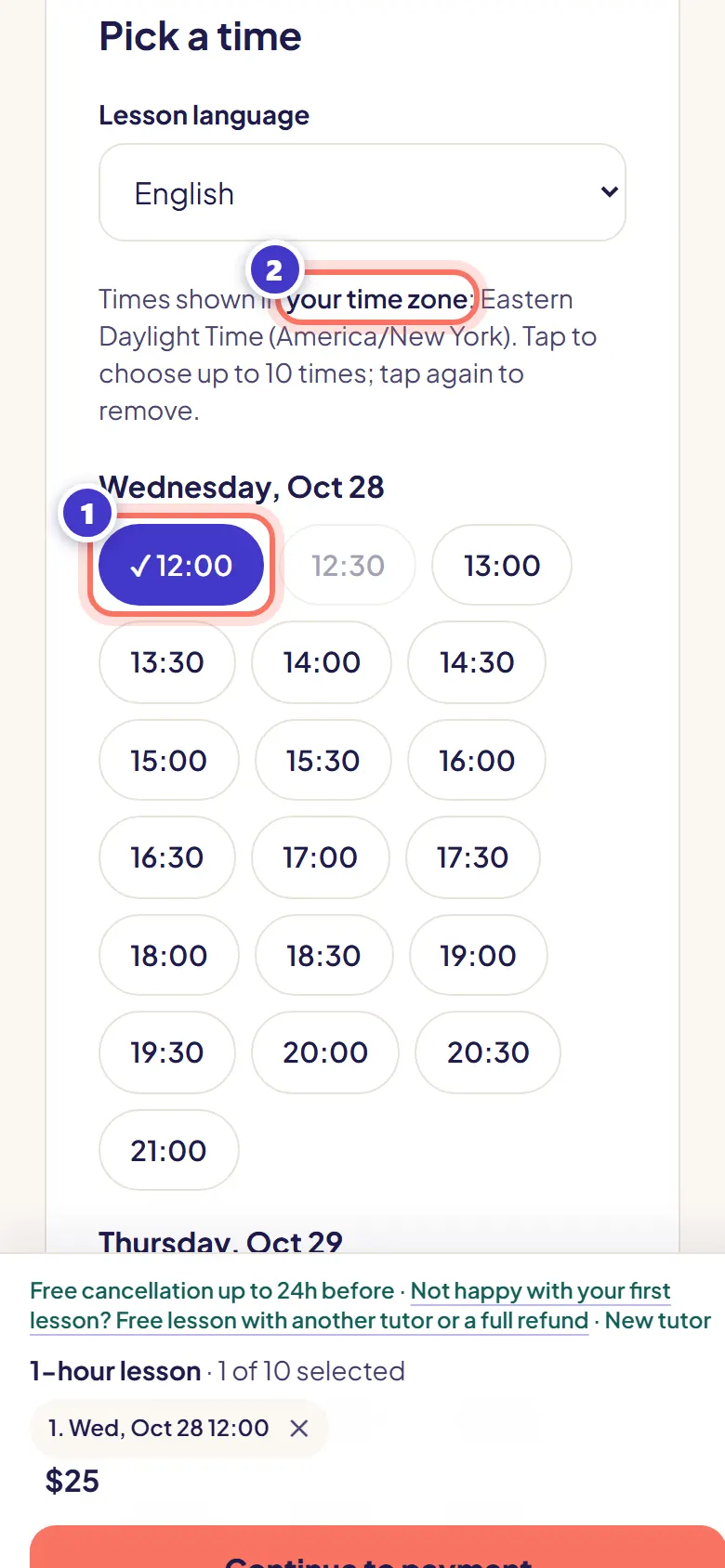
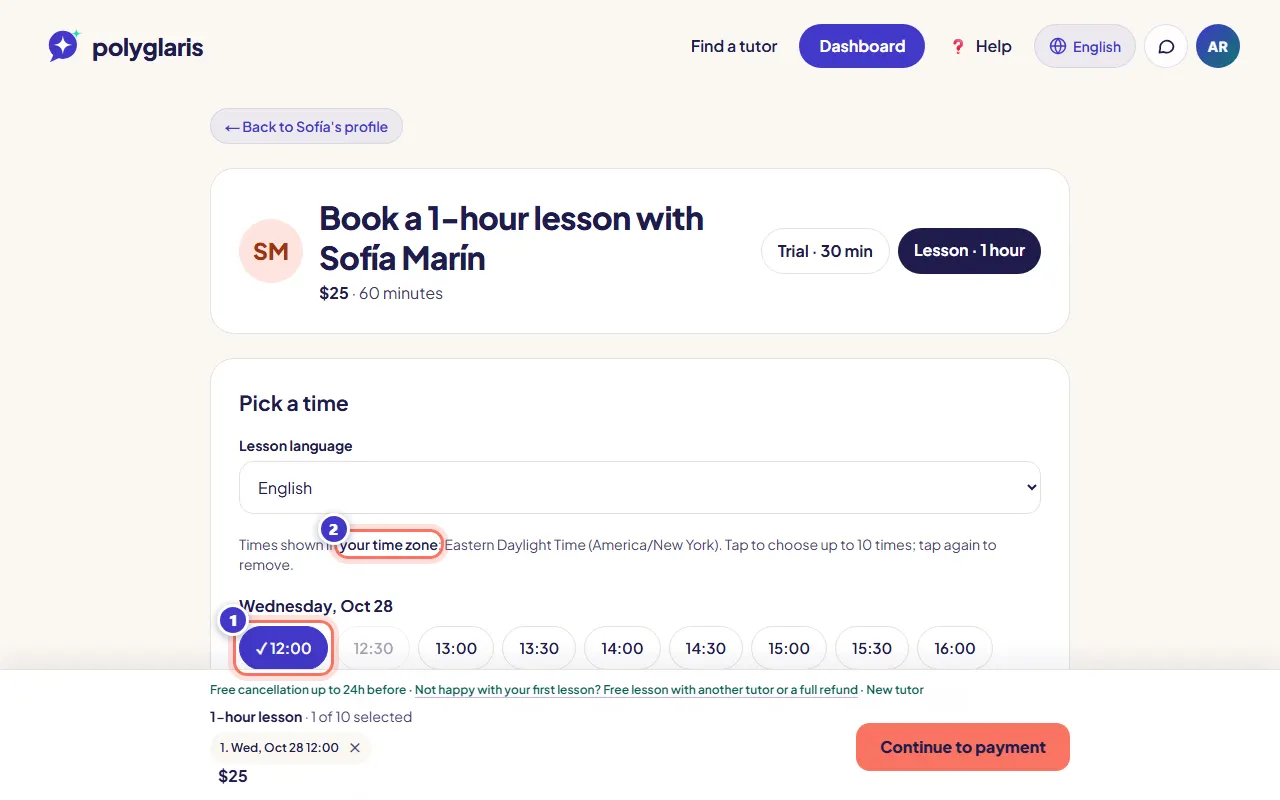
Tap a time. Times are shown in your own time zone, and the first free time is already picked for you.
You can tap several times to book more than one lesson, or tick Repeat weekly.
- Hakbang 3:
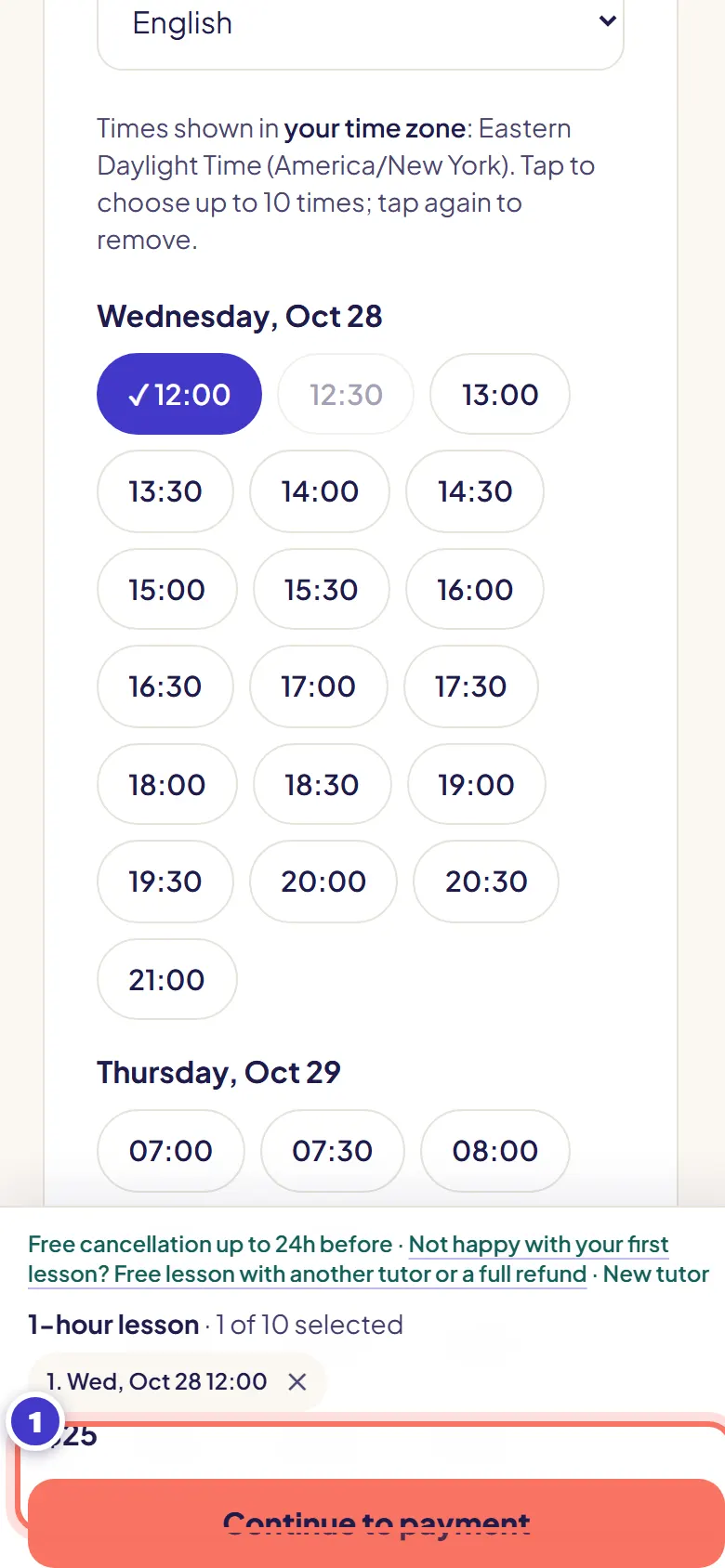
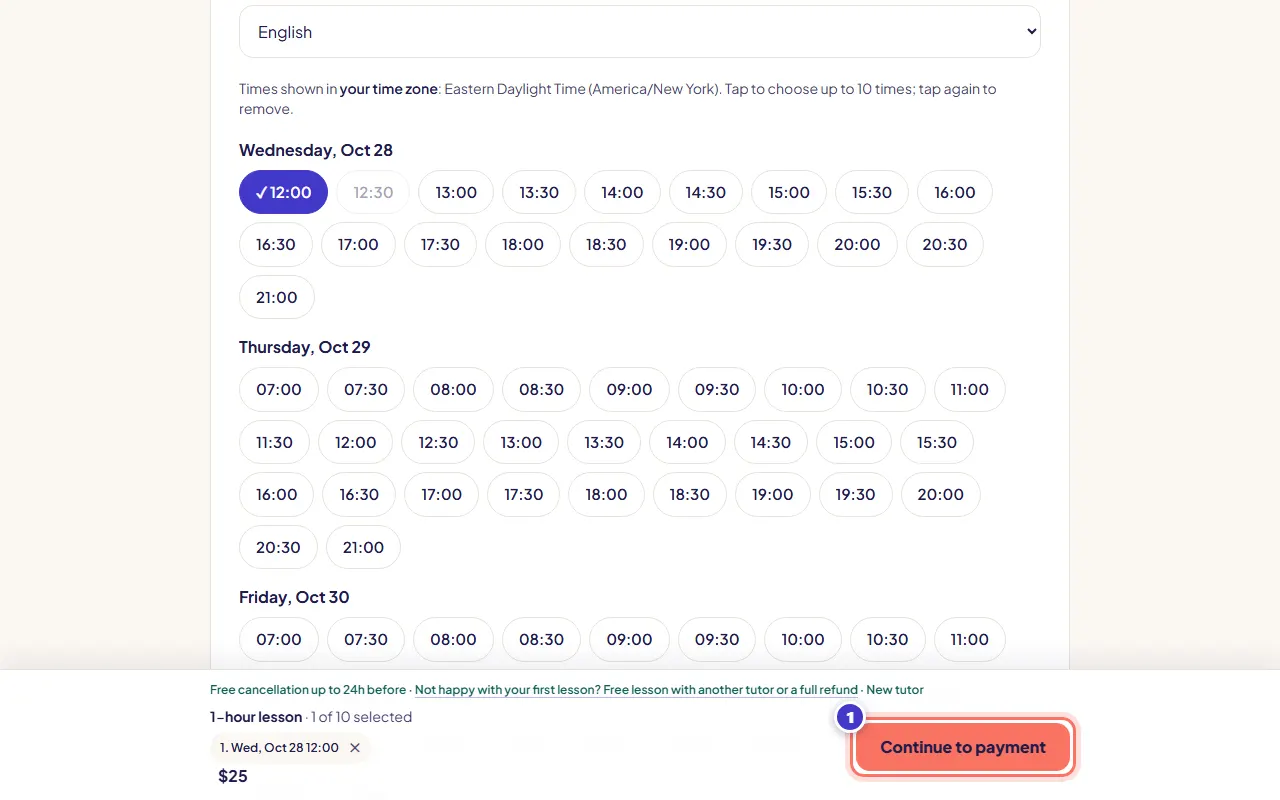
Check the bar at the bottom: your time and the price. If asked, tick I'm 18 or older (and agree to the Terms and Privacy Policy).
- Hakbang 4:
Press Continue to payment. Your time is held for 30 minutes while you pay.
A free trial skips payment: press Book free trial instead (you need to be signed in).
- Hakbang 5:
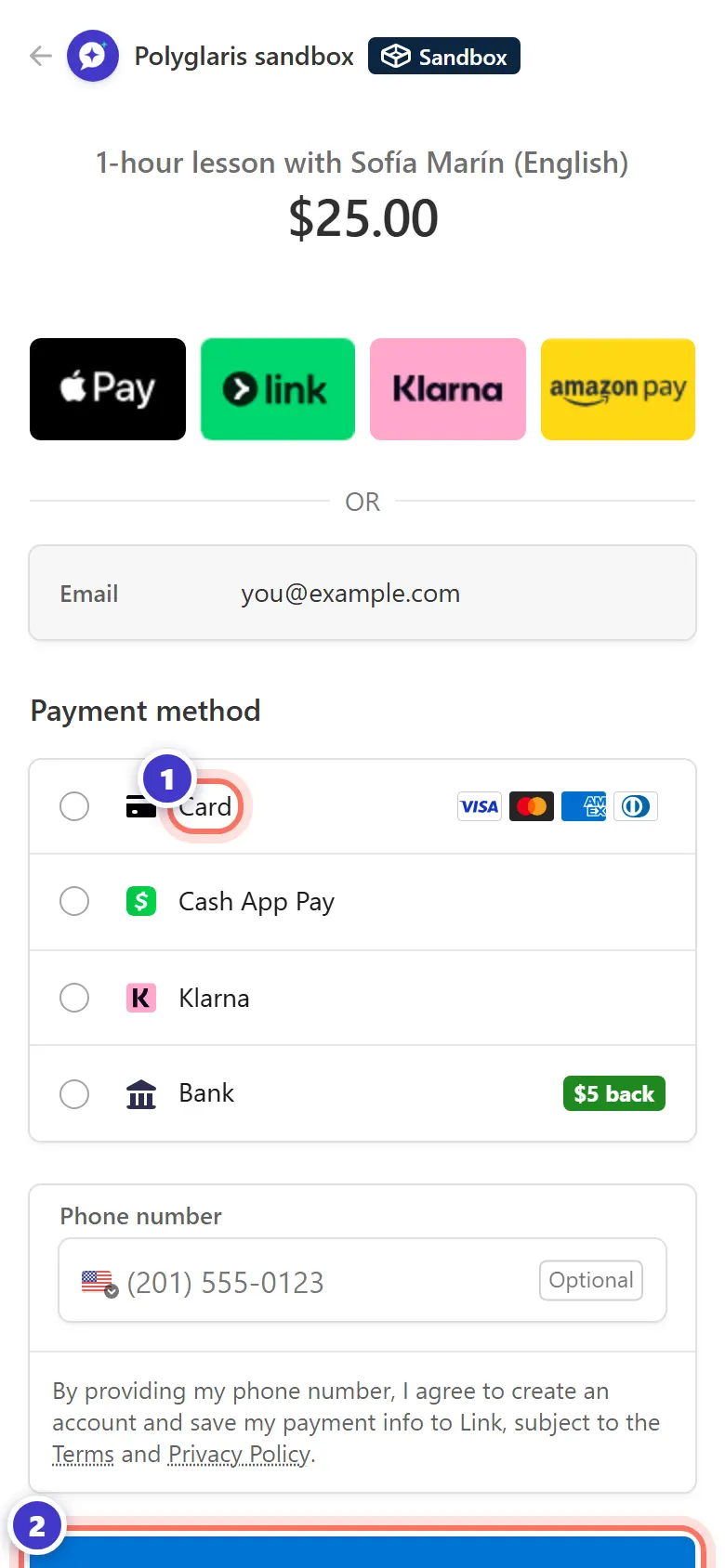
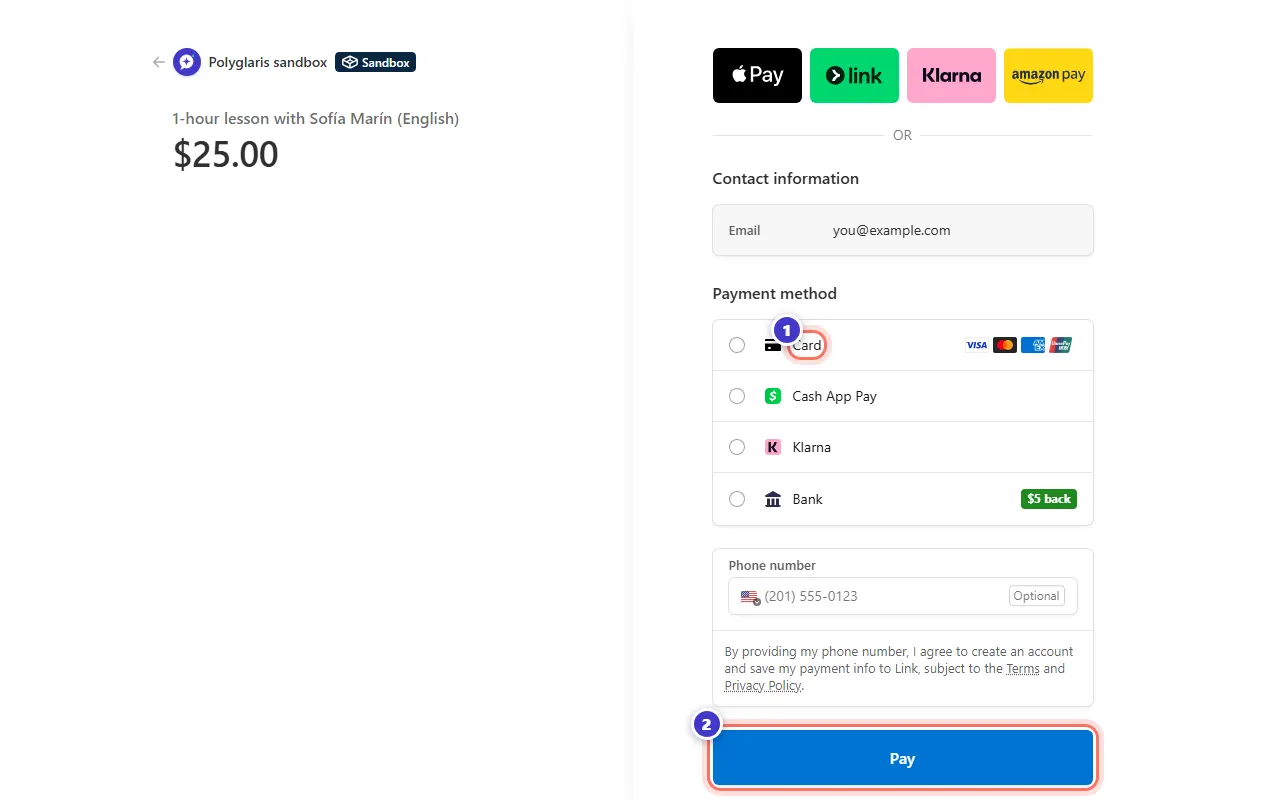
On the secure Stripe page, pay with your card, Cash App Pay or Link. Apple Pay and Google Pay appear too when your device supports them. You may see the amount in your own currency.
If you saved a card before, it's already there.
- Hakbang 6:
You come back to Polyglaris. Your dashboard says You're booked! and shows the lesson.
Ano ang dapat mong makita
- Your dashboard with "You're booked! Your lesson is below."
- A confirmation email with a calendar file you can add to Google, Apple or Outlook calendar.
- Buttons on the dashboard: Book same time next week, Add to Google Calendar and Add to Apple / Outlook calendar.
- If you weren't signed in, your account is created with the email you paid with, and you're signed in automatically.
Mga patakaran sa pagkansela at refund
- Cancel 24 hours or more before the lesson: full refund, or move it for free.
- Cancel less than 24 hours before, or miss the lesson: no refund (your tutor is paid for the time).
- If your tutor cancels, or doesn't join within 15 minutes of the start: automatic full refund.
- Something went wrong? Report a problem up to 48 hours after the lesson.
Pag-ayos ng problema
"That time was just taken."
Someone booked it while you were choosing. Pick one of the next free times shown.
I pressed Back on the Stripe page.
You weren't charged, and the time is free again. Your chosen times are still selected, so you can try again.
There's no Trial tab.
You've already had a trial with this tutor. Book a regular lesson or a package.
The payment page shows a different currency.
Stripe can show and charge the exact amount in your local currency. The price on Polyglaris is in US dollars.
I'm under 18.
Polyglaris is currently available only to adults aged 18 and over. Lessons for learners under 18 are not available yet.
Mga kaugnay na aralin
Find the right tutorSumali sa iyong leksyon at gamitin ang classroomTiningnan laban sa app noong Oktubre 28, 2026
Hindi pa rin malinaw?
Magtanong sa Assistant o magpadala sa amin ng mensahe. May taong bumabasa ng bawat mensahe.