Booking and payment · 5분
Book and pay for a lesson
Choose a trial, a single lesson or a package, pick a time, and pay securely with Stripe. Here's what you'll see after paying.
이 강좌는 아직 한국어로 번역되지 않아 영어로 표시돼요.
시작하기 전에
- Find a tutor you like (see "Find the right tutor").
- Have a payment card ready. You don't need an account first: paying creates one with your email.
Trial, single lesson or package?
- Trial: a 30-minute first lesson at the tutor's trial price (sometimes free). You get one trial with each tutor.
- Lesson: a 1-hour lesson at the tutor's hourly price.
- Package: 5, 10 or 20 lessons with one tutor, paid once at a discount the tutor sets. Packages expire after 3, 6 or 9 months (by size), and you can extend once by 30 days. Unused lessons can be refunded from your dashboard.
단계별 안내
- 1단계:
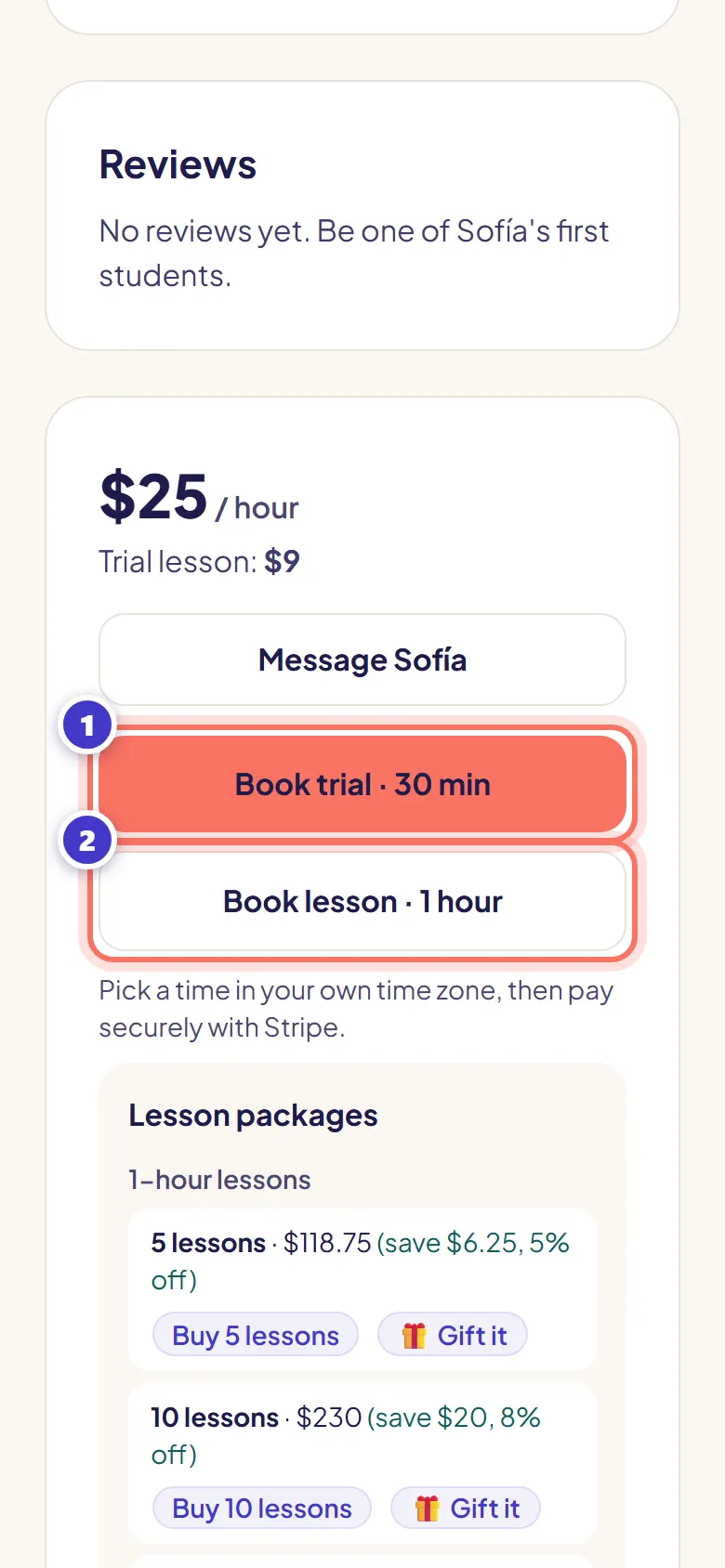
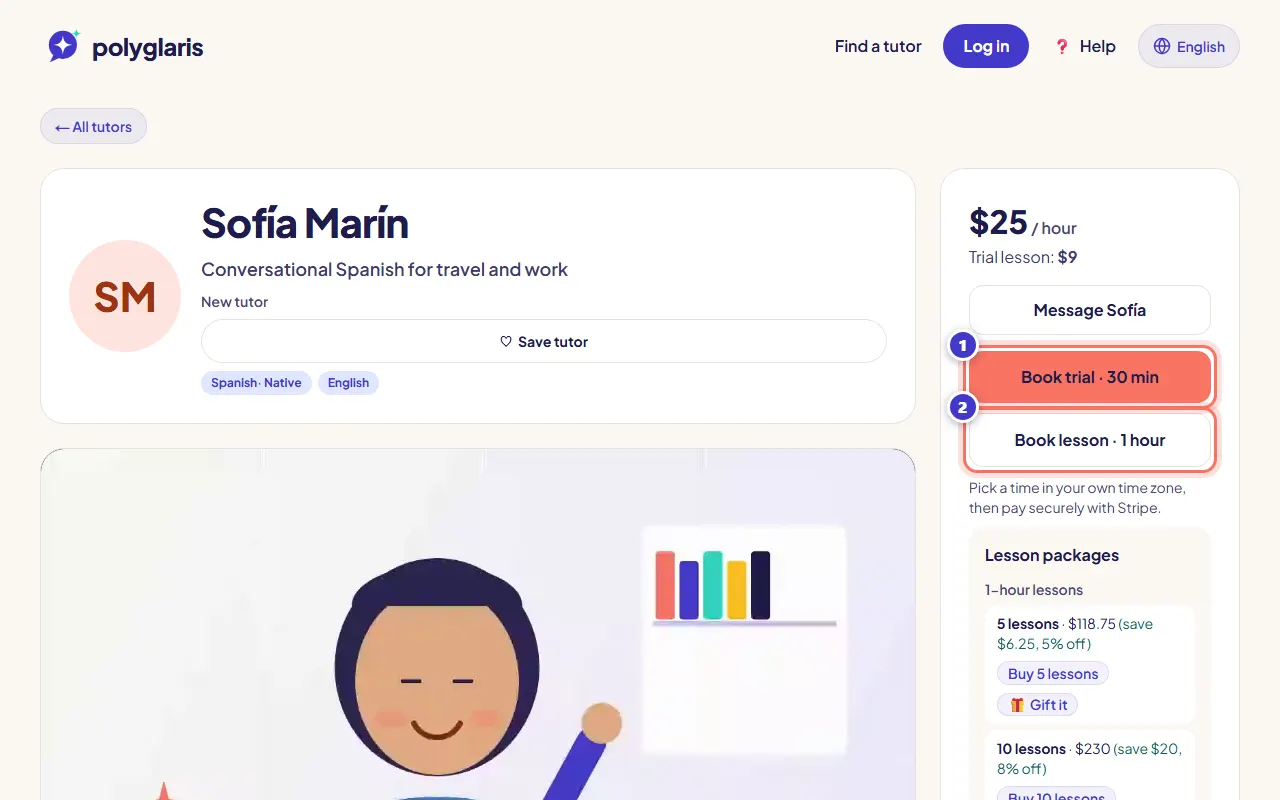
On the tutor's profile, press Book trial · 30 min or Book lesson · 1 hour.
To buy a package, scroll to Lesson packages and press Buy … lessons instead.
- 2단계:
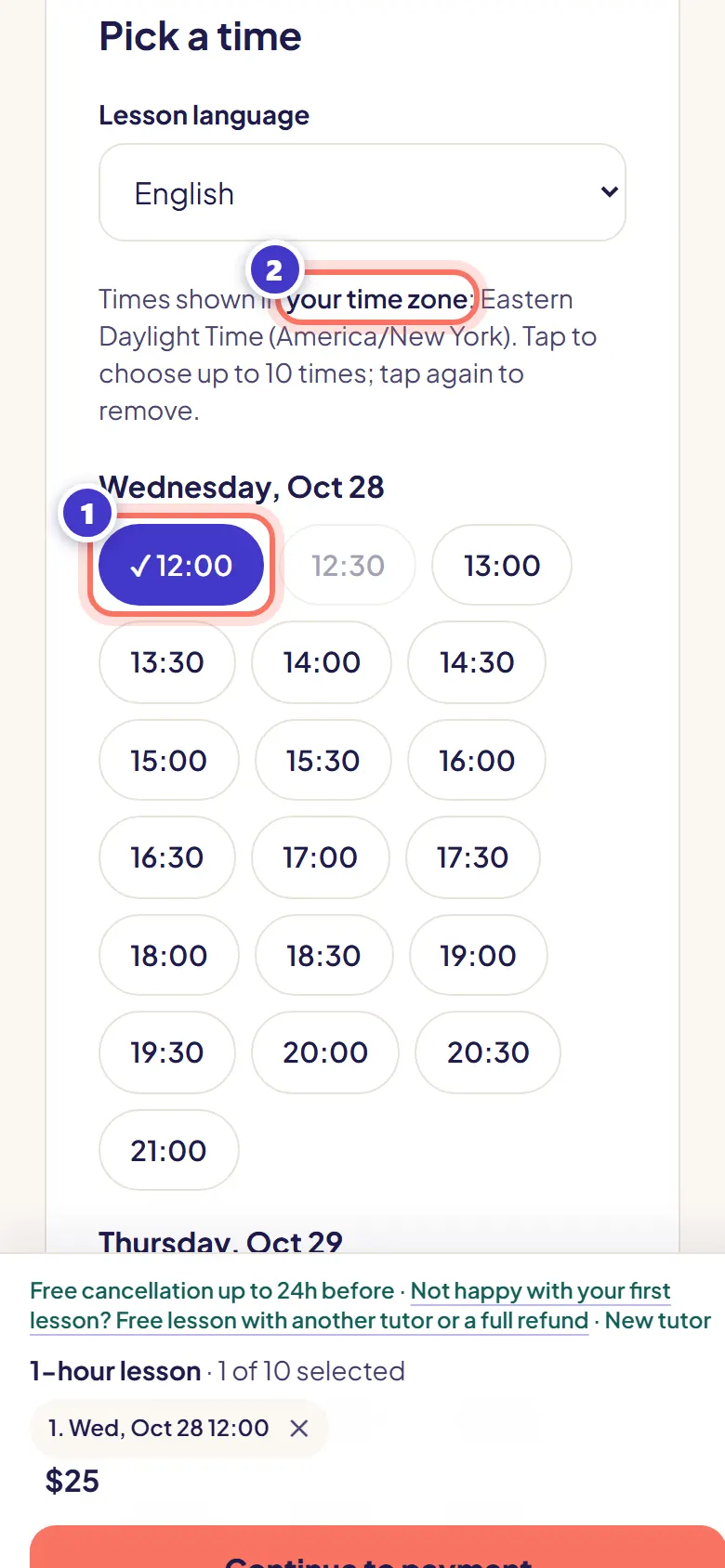
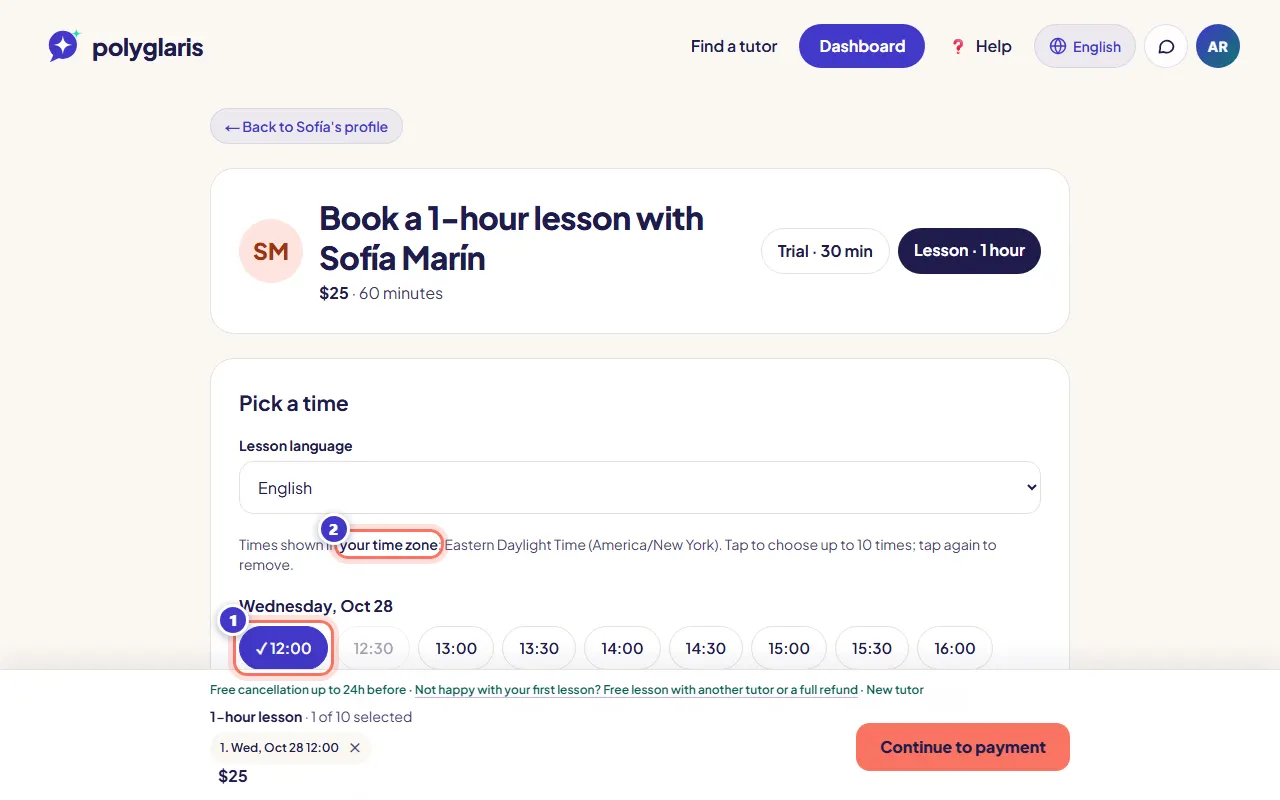
Tap a time. Times are shown in your own time zone, and the first free time is already picked for you.
You can tap several times to book more than one lesson, or tick Repeat weekly.
- 3단계:
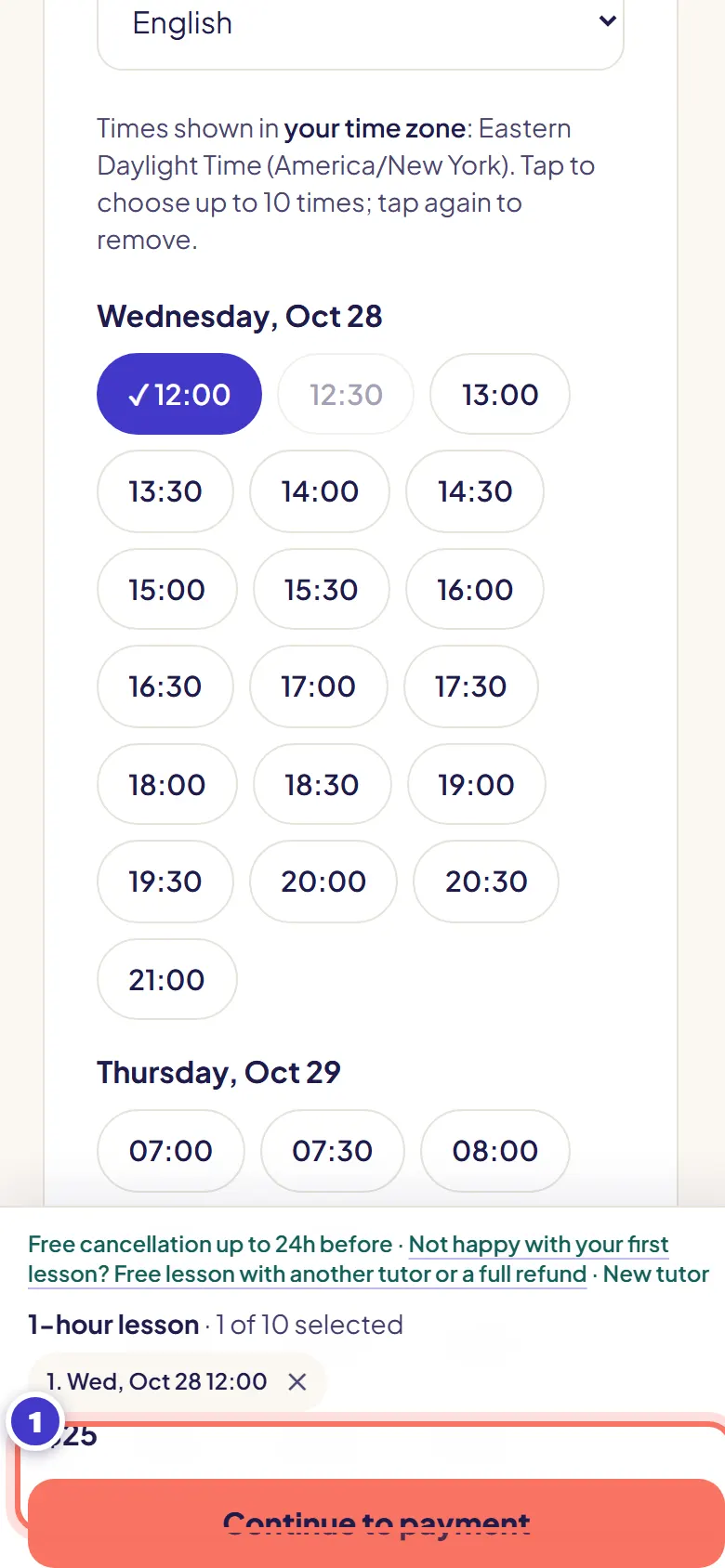
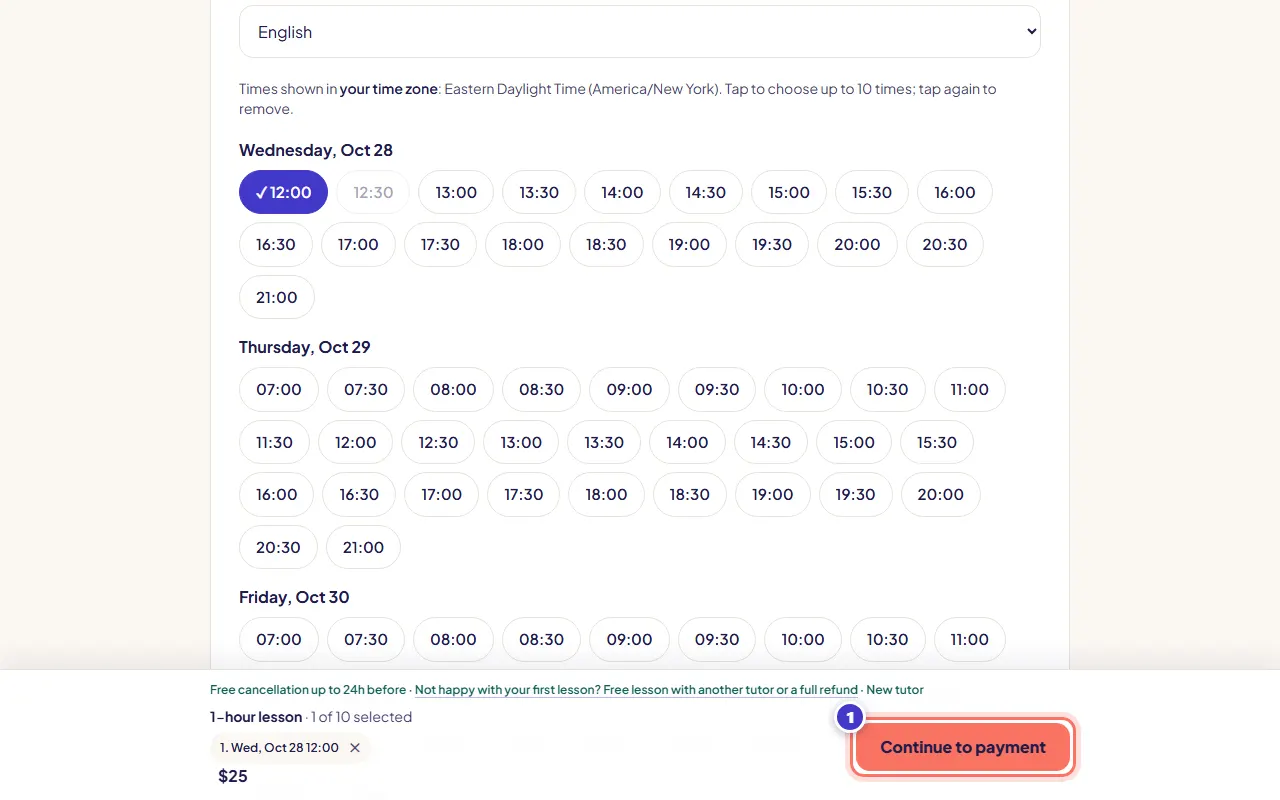
Check the bar at the bottom: your time and the price. If asked, tick I'm 18 or older (and agree to the Terms and Privacy Policy).
- 4단계:
Press Continue to payment. Your time is held for 30 minutes while you pay.
A free trial skips payment: press Book free trial instead (you need to be signed in).
- 5단계:
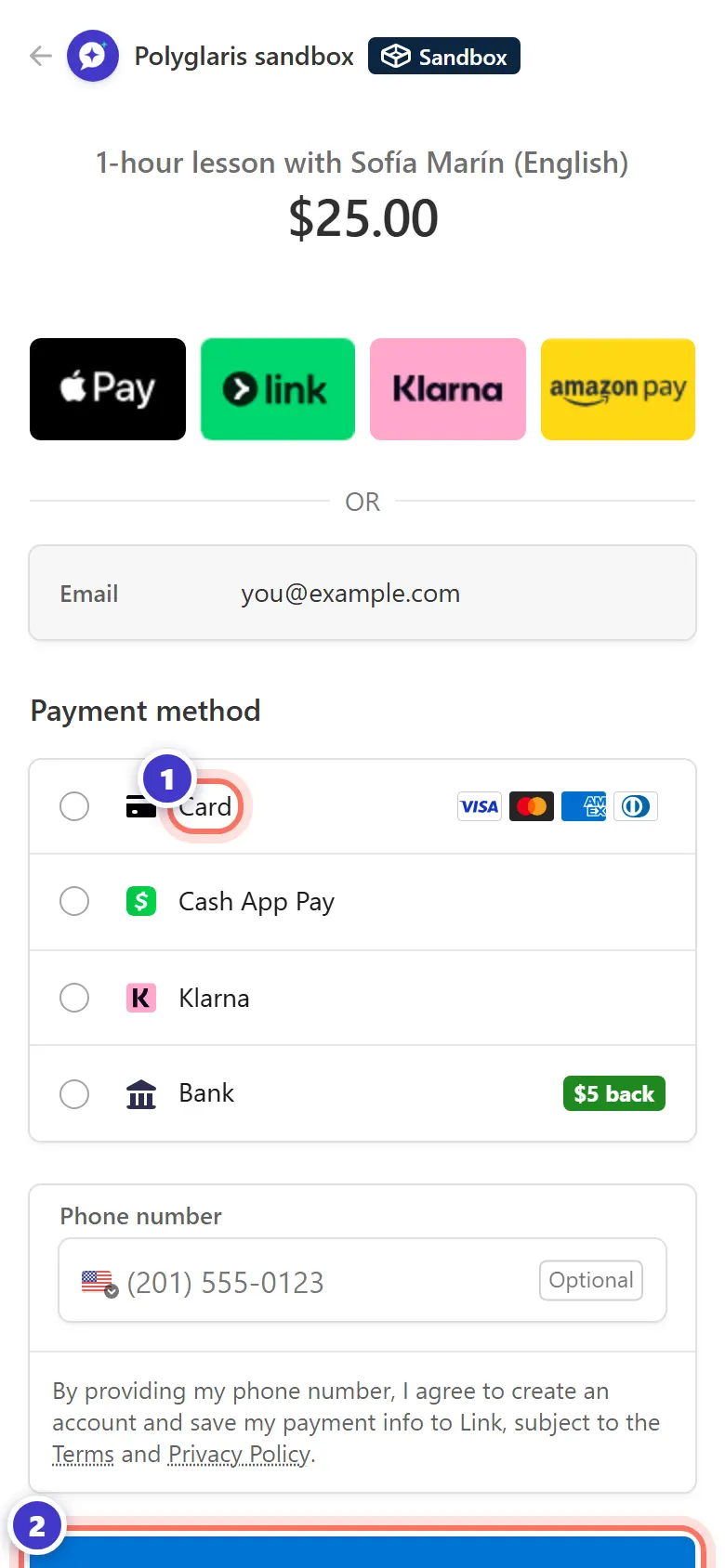
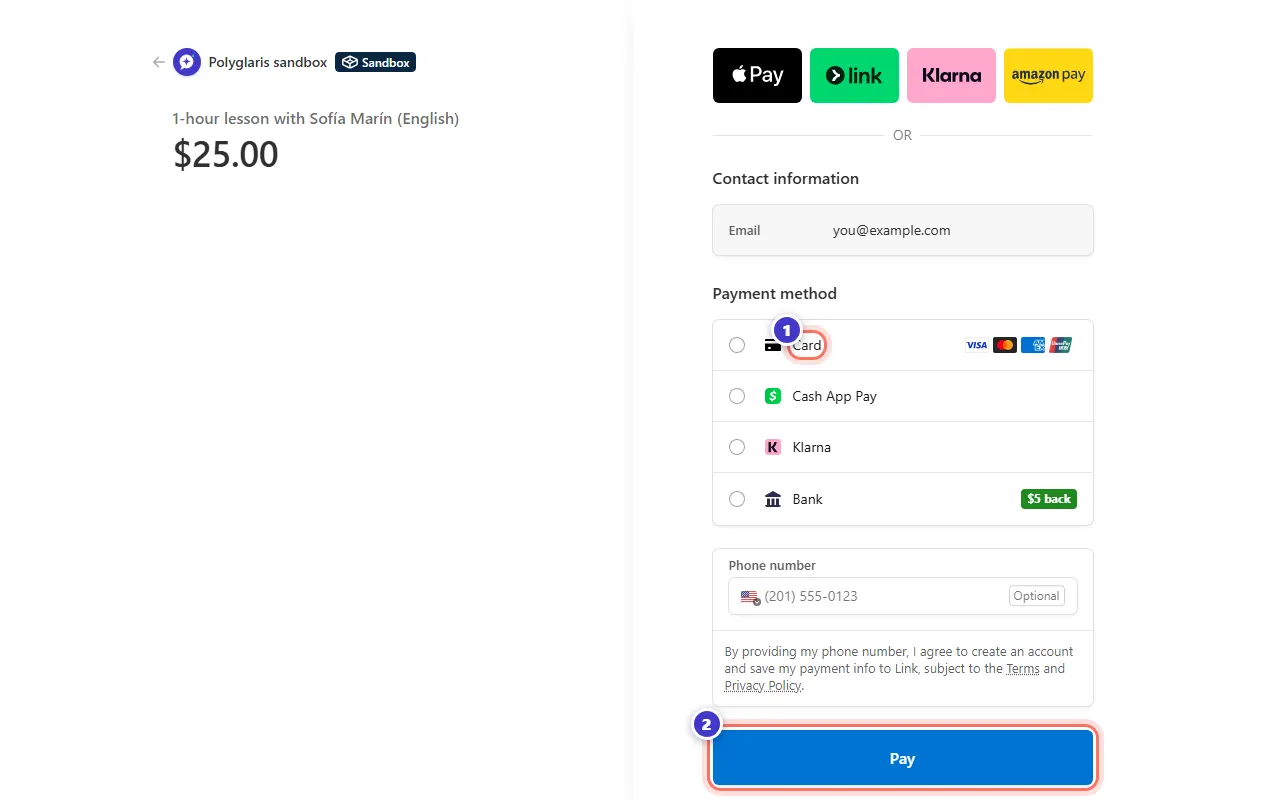
On the secure Stripe page, pay with your card, Cash App Pay or Link. Apple Pay and Google Pay appear too when your device supports them. You may see the amount in your own currency.
If you saved a card before, it's already there.
- 6단계:
You come back to Polyglaris. Your dashboard says You're booked! and shows the lesson.
이렇게 보이면 정상이에요
- Your dashboard with "You're booked! Your lesson is below."
- A confirmation email with a calendar file you can add to Google, Apple or Outlook calendar.
- Buttons on the dashboard: Book same time next week, Add to Google Calendar and Add to Apple / Outlook calendar.
- If you weren't signed in, your account is created with the email you paid with, and you're signed in automatically.
취소 및 환불 규정
- Cancel 24 hours or more before the lesson: full refund, or move it for free.
- Cancel less than 24 hours before, or miss the lesson: no refund (your tutor is paid for the time).
- If your tutor cancels, or doesn't join within 15 minutes of the start: automatic full refund.
- Something went wrong? Report a problem up to 48 hours after the lesson.
문제 해결
"That time was just taken."
Someone booked it while you were choosing. Pick one of the next free times shown.
I pressed Back on the Stripe page.
You weren't charged, and the time is free again. Your chosen times are still selected, so you can try again.
There's no Trial tab.
You've already had a trial with this tutor. Book a regular lesson or a package.
The payment page shows a different currency.
Stripe can show and charge the exact amount in your local currency. The price on Polyglaris is in US dollars.
I'm under 18.
Polyglaris is currently available only to adults aged 18 and over. Lessons for learners under 18 are not available yet.
관련 강좌
Find the right tutor수업에 참여하고 교실 사용하기2026년 10월 28일 기준 앱과 대조해 확인함
아직 해결되지 않았나요?
어시스턴트에게 물어보거나 메시지를 보내주세요. 모든 메시지는 사람이 직접 읽어요.